AI voice agent and IVR replacement for public transit
Riders ask. RideInfo answers.
Most calls to your agency ask when the next bus is coming. RideInfo answers those calls, texts, and web chats from your live GTFS data, at any hour. Use it on its own or in place of your current phone menu. Setup takes a few weeks.
How it works
Real-time answers from your own data. No hold times.
Rider calls, texts, or chats
A rider calls or texts your agency's number, or opens the web chat, to ask about their bus. RideInfo answers instantly.
AI checks your live data
RideInfo queries your GTFS and GTFS-RT feeds in real time to get accurate arrival predictions, route details, and stop information.
Rider gets their answer
The rider gets the arrival time, route, and stop details in seconds. Nobody waits on hold or waits for a callback.
One call, start to finish
22 seconds, and no agent picked up
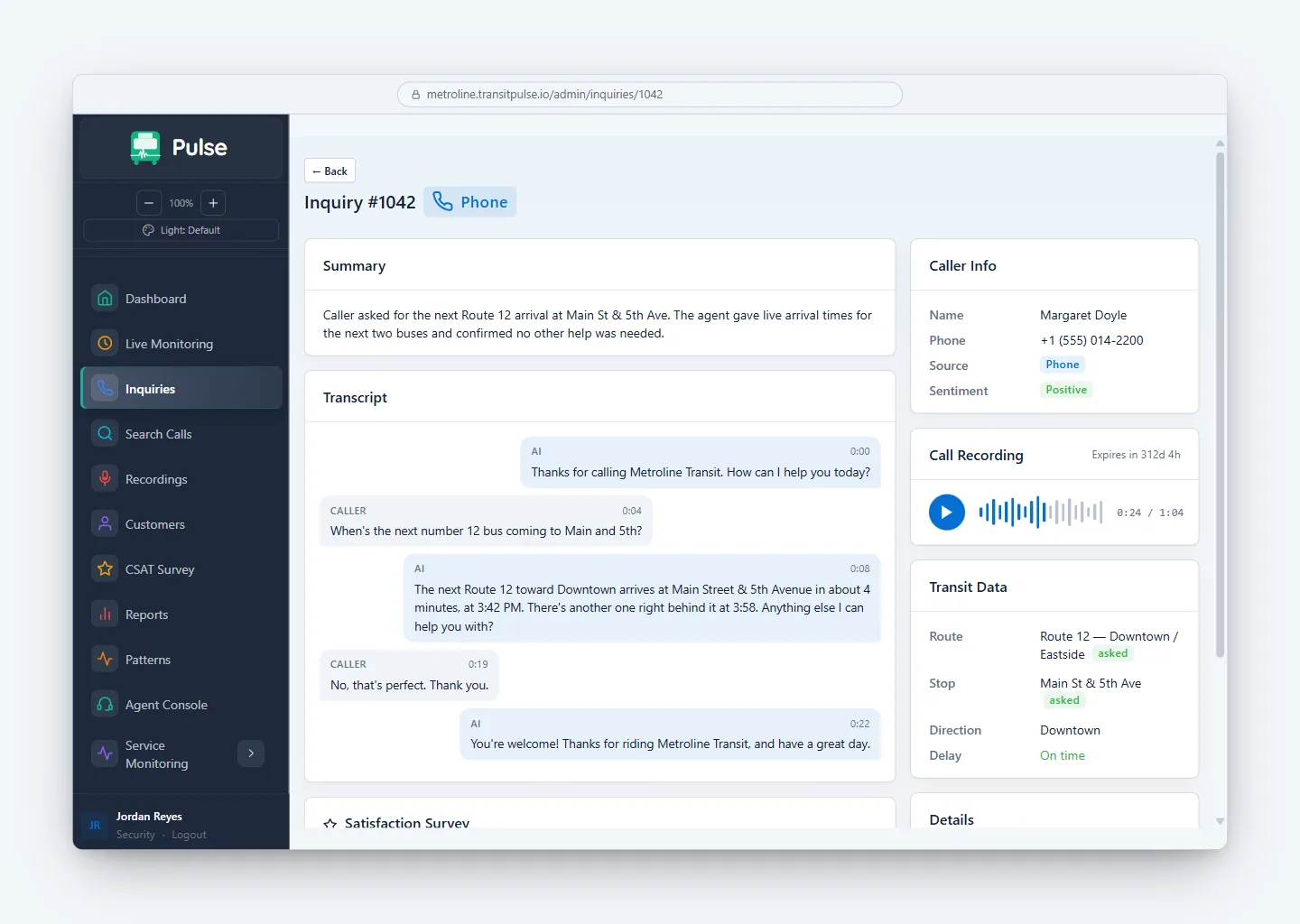
The rider asks in their own words. RideInfo answers with the next two arrivals from your live data, then checks if the rider needs anything else.
The green text comes from your GTFS and GTFS-RT feeds at the moment of the call.
Phone call to Crosstown Transit
Answered by RideInfo
-
RideInfo · 0:00
Thanks for calling Crosstown Transit. How can I help you today?
-
Rider · 0:04
When's the next number 12 bus coming to Main and 5th?
-
RideInfo · 0:08
The next Route 12 toward Downtown arrives at Main Street & 5th Avenue in about 4 minutes, at 3:42 PM. There's another one right behind it at 3:58. Anything else I can help you with?
-
Rider · 0:19
No, that's perfect. Thank you.
-
RideInfo · 0:22
You're welcome! Thanks for riding Crosstown Transit, and have a great day.
See RideInfo in action
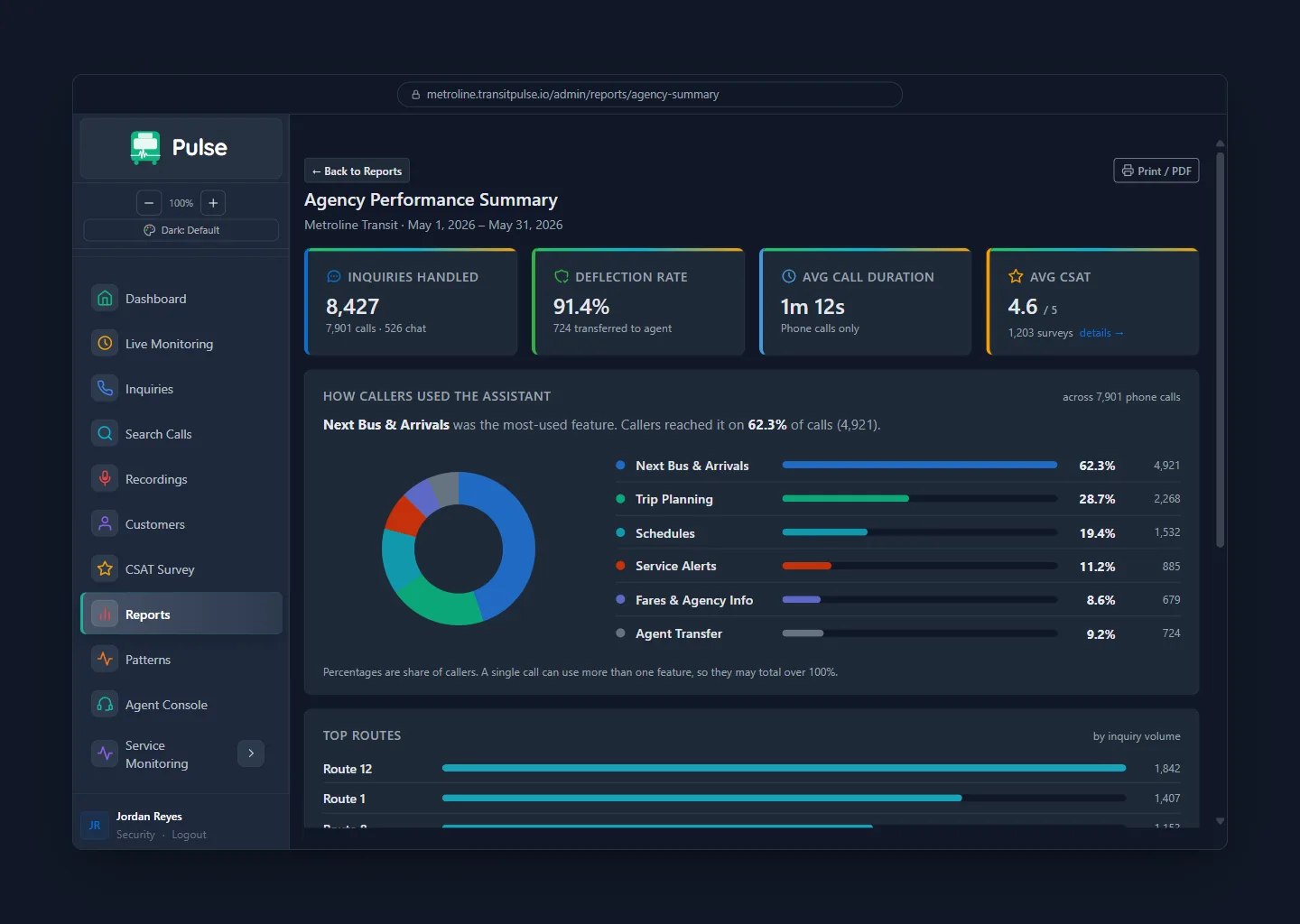
Riders ask the way they would ask a person: "Is the 12 running late?" You can read every conversation afterward. The dashboard shows how many calls never needed an agent.
After hours
A rider calls after the call center closes
RideInfo picks up, finds the late bus, and checks that the rider still makes the last transfer.
Script. Narrator: What happens when a rider calls after your call center closes? With RideInfo, they still get help. RideInfo: Thanks for calling. How can I help? Rider: Hey, yeah. I'm outside Memorial Hospital, waiting for the 8. It was supposed to be here like ten minutes ago. RideInfo: Are you at the stop by the main entrance? Rider: Yeah, that one. RideInfo: Okay, let me check. The 8 is running about fourteen minutes behind tonight. There's a detour on Riverside Drive. It's two stops away from you. It will arrive in about four minutes. Rider: Okay. Am I still gonna make the 22? RideInfo: Based on current arrivals, you should. You'll get to the Oakwood Transit Center around 11:06, and the last 22 leaves at 11:12. That gives you about six minutes for that transfer. Rider: Okay, cool. Thanks. RideInfo: Sure thing. Get home safe.
What changes for your call center
Keep the call center you have
RideInfo works next to your current call center. Your agents keep their phones and their software. You do not move data or retrain staff.
24/7, in dozens of languages
A rider can call at 11 PM on a holiday and ask in Spanish or Vietnamese. RideInfo supports dozens of languages for speech and text.
Real-time accuracy
RideInfo pulls from your live GTFS-RT feed to give riders actual predicted arrival times, route details, service alerts, and stop information.
Reduce call volume
"Where's my ride?" is one of the most common calls an agency gets. When RideInfo takes those calls, your agents stop reading arrival times off a screen. They work on complaints and trip problems instead.
Phone, SMS, and web chat
Some riders prefer to call. Others prefer to text or type. RideInfo gives your customers all three options, powered by the same real-time GTFS data.
Script. Narrator: Riders already call RideInfo for help. Did you know they can text it, or chat with it on your website? Text message. Rider: hey is the 8 running late? at memorial hospital. RideInfo: Route 8 is about 14 minutes behind tonight because of a detour on Riverside Drive. The next bus reaches the Memorial Hospital main entrance in about 4 minutes. Rider: ok thx. Website chat. Rider: How do I get to Oakwood Transit Center from Main and 5th? RideInfo: Take Route 12 toward Downtown from Main St & 5th Ave. The next one comes at 3:42 PM. Get off at Oakwood Transit Center at 3:58 PM.
Stop answering the same question
Without RideInfo
- Staff spends hours answering "where's my ride?" calls
- Riders sit on hold for simple questions with straightforward answers
- No information available outside of business hours
- Answers vary depending on who picks up the phone
- Complex calls compete with simple ones for staff attention
With RideInfo
- Arrival questions answered instantly by AI, via phone, SMS, or web chat
- Staff freed up for complaints, complex calls, and real problem-solving
- Available 24/7, including nights, weekends, and holidays
- Consistent, real-time answers powered by your GTFS data
- Up and running in weeks with minimal IT effort
Powered by your GTFS data
RideInfo reads the same GTFS and GTFS-RT feeds that you already publish for Google Maps and trip-planning apps.
- Real-time bus arrival predictions from your GTFS-RT feed
- Route details, schedules, and service patterns
- Stop locations, connections, and transfer points
- Service alerts and disruptions
- Holiday and weekend schedule variations
Stop 1482
Main St & 5th Ave
- 12 Downtown 4 min
- 7 University 8 min
- 22 Hospital 11 min 3 min late
- 12 Eastgate 19 min
Saturday schedule in effect · Transfer here to Routes 7 and 22
From GTFS feed to live service in weeks
If you already publish GTFS, most of the setup is done. We do the rest.
You have GTFS? You're ready.
Most transit agencies already publish GTFS and GTFS-RT feeds. That is the foundation RideInfo needs. No new data systems required.
We handle the setup
Our team configures RideInfo for your routes, stops, and service area. Your IT team does not need to build or maintain anything.
Go live in weeks
Arrival-time calls go to RideInfo from the first day. Your agents get that time back for the calls that need them.
When the bus never came
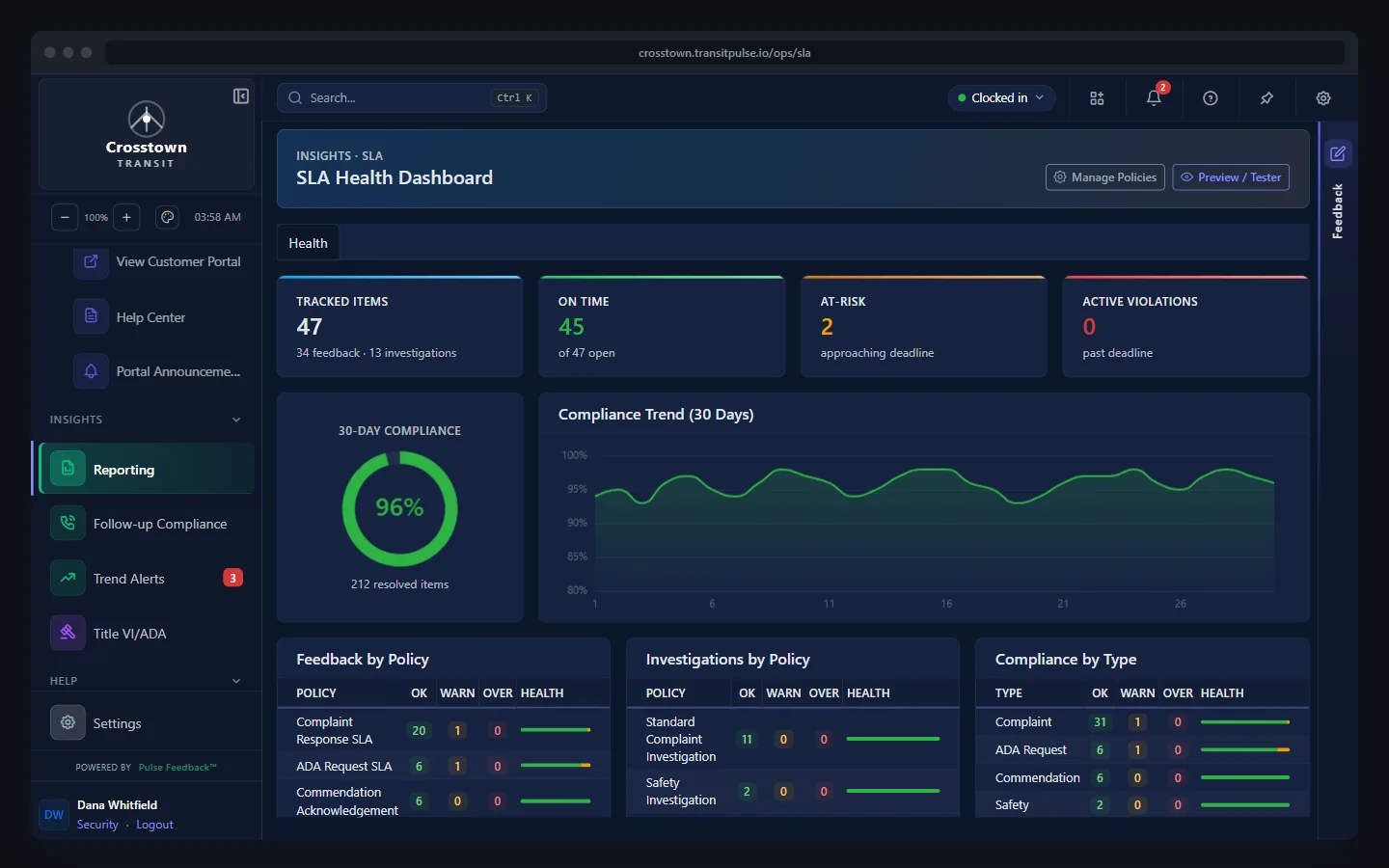
Some callers do not want the next bus. They want to report that the last one never showed up. Feedback is where your team investigates those complaints, meets the deadlines, and writes back. It works with RideInfo.
Frequently asked questions
Usually a few weeks. If your agency already publishes a GTFS feed, most of the data work is done. We connect to your feeds, set RideInfo up for your routes and service, and connect it to your phone line. Your IT team does not run a project.
A GTFS feed for your fixed-route service and a GTFS-RT feed for real-time arrival predictions. Most transit agencies already publish both for Google Maps and trip-planning apps. RideInfo reads the same feeds.
Yes. RideInfo integrates with your existing phone infrastructure. Riders call the same number they always have. We handle the setup during onboarding so your IT team does not need to manage anything new.
RideInfo is currently built for fixed-route bus transit. If your agency also runs paratransit, demand-response, or other modes, those riders can still be routed to your existing call center staff while RideInfo handles the fixed-route questions.
No. RideInfo answers the repeat "where's my ride?" calls. Your agents spend that time on complaints, trip problems, and callers who need a person. You get more capacity without hiring.
Hear RideInfo answer a live call
Book a demo. Bring the questions your riders ask your agents every day.